Changing user information and passwords
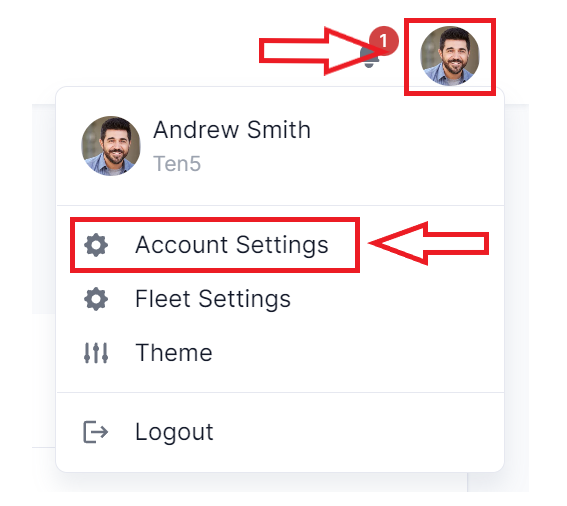
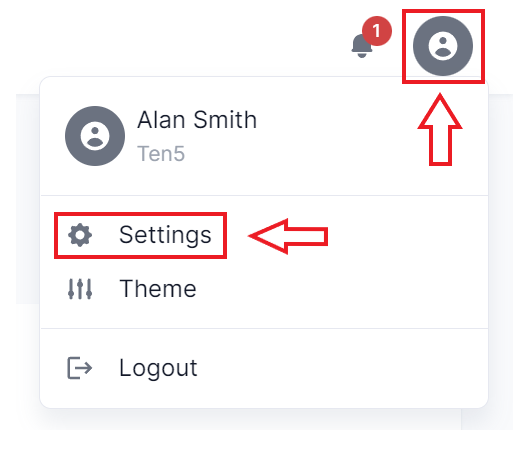
On the top right, click on the user icon and select Account Settings or Settings.
Changing user images
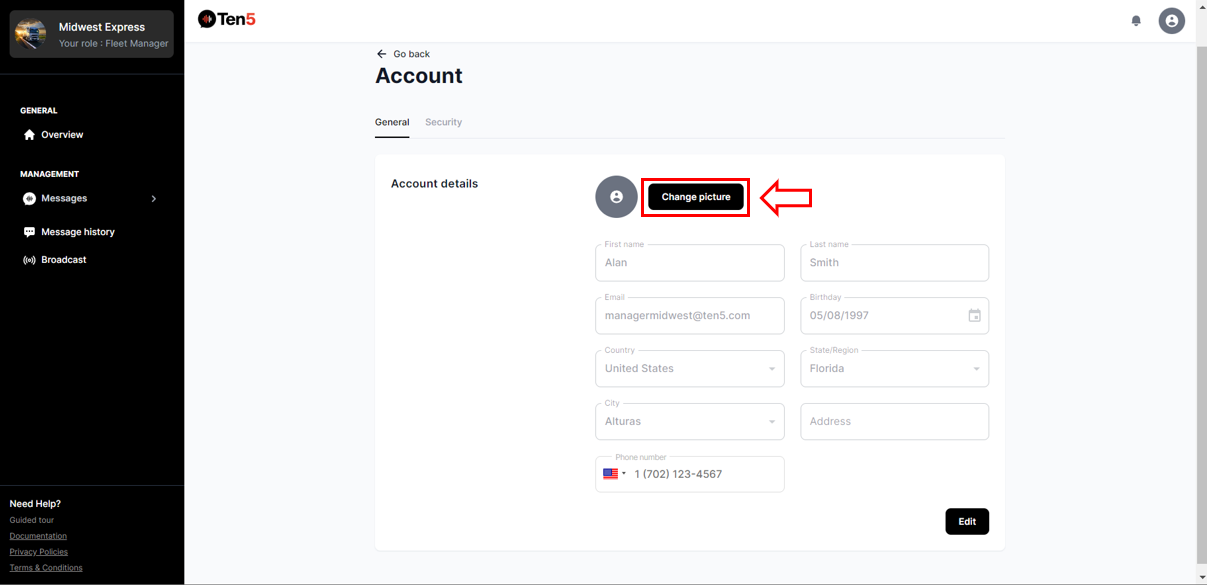
Click on the Change picture button and upload an image.
Changing user information
Click on the Edit button.
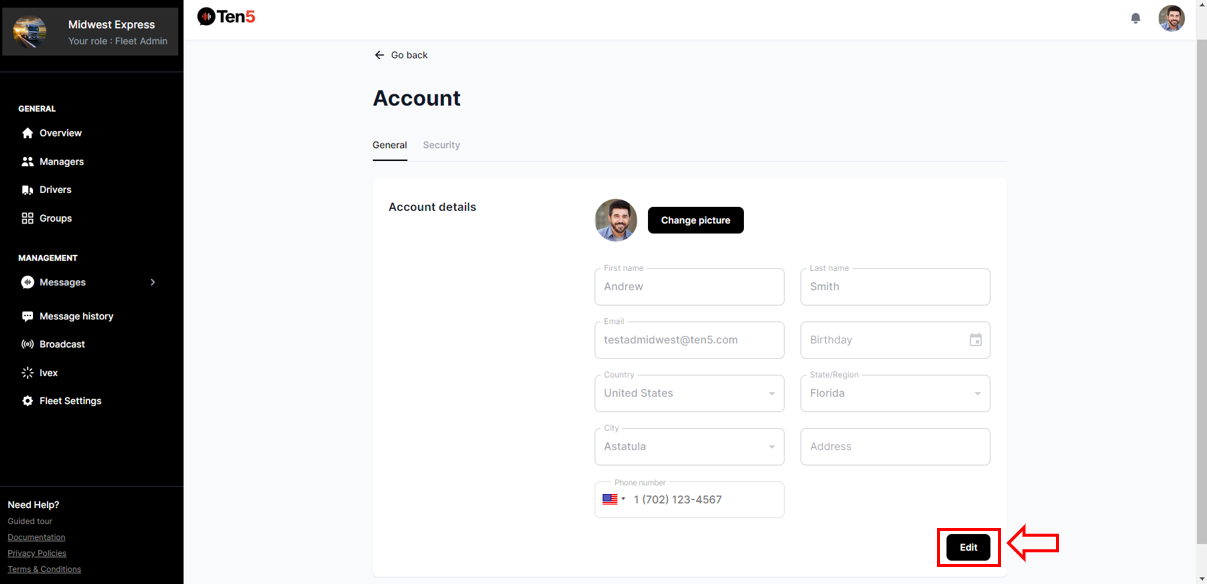
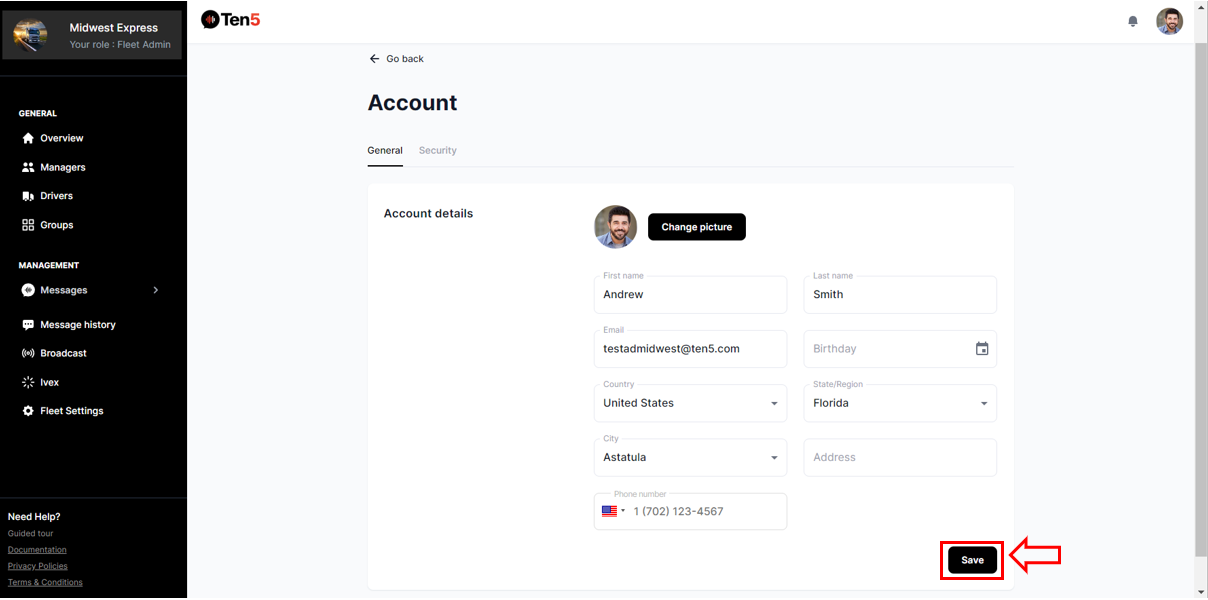
Edit any information and click on the Save button.
Changing user password
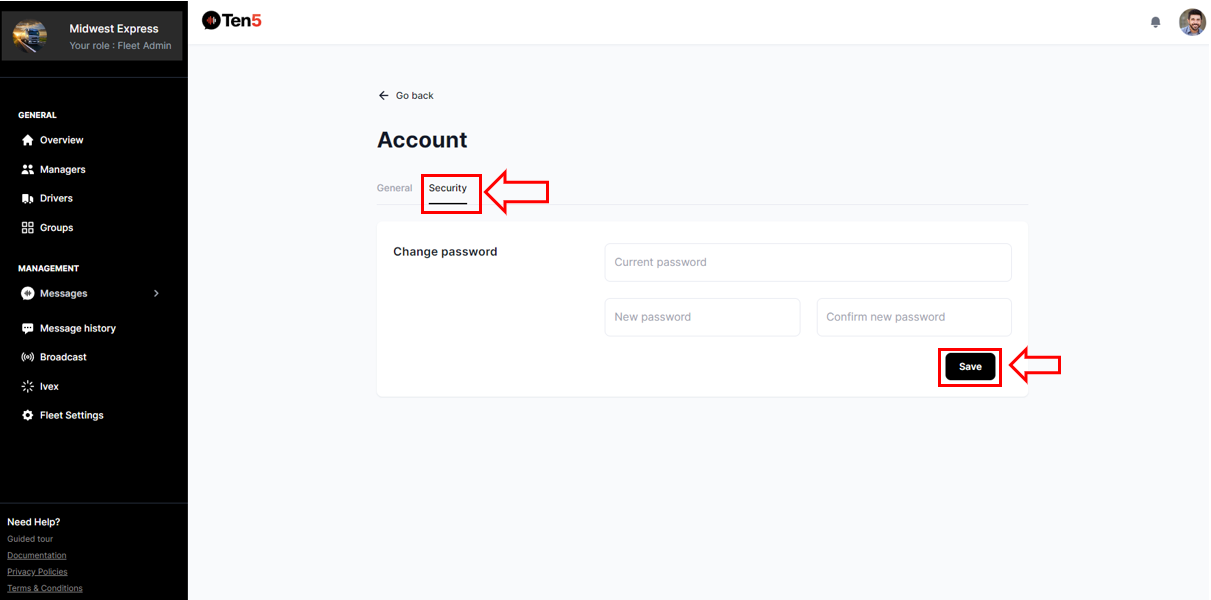
On the Account page, select the Security tab. Then enter current password, new password, and confirm password. Click on the Save button.